
Hand them the phone
The customer sees a clean, customer-facing approval screen and signs with their finger — right there, before you pick up a tool.
Now on iPhone & Android
Say the job the way you'd say it to the customer. JobSign drafts a clean work approval — scope, price, exclusions — your customer signs on your phone or from a link, and the signed PDF is yours to keep.
How it works
No contract-builder maze. No project-management baggage. Just the approval step — done properly, from the truck.
Talk or type the way you'd explain it to the customer. Add the price and job site if you have them — JobSign structures the rest.
The AI drafts scope, pricing, exclusions, and timing with trade-aware wording. Everything stays editable before the customer ever sees it.
Hand over your phone on site, or send a signing link the customer opens in their browser. No app, no account on their end.
Every signed approval becomes a clean PDF with the signature, pricing, scope, and timestamp — saved to your job history.
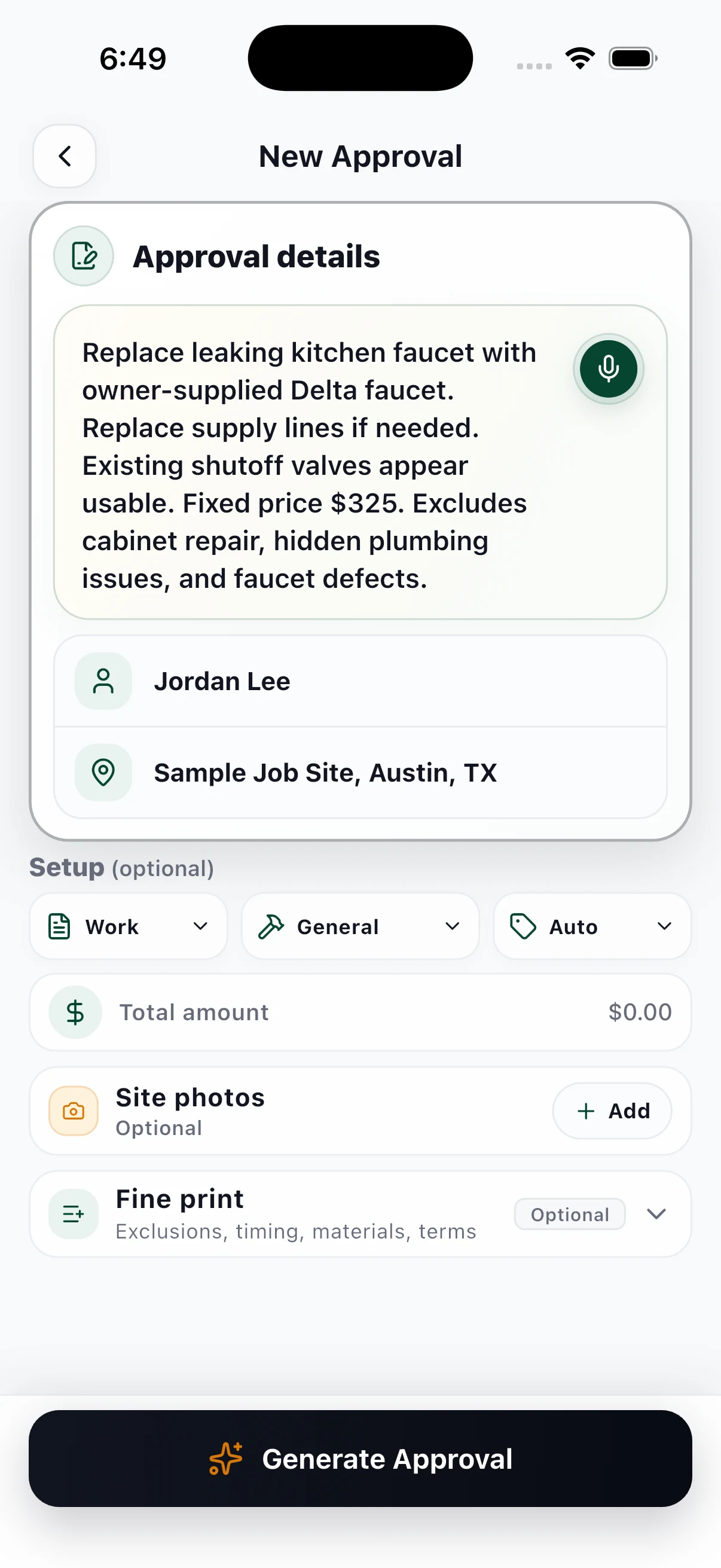
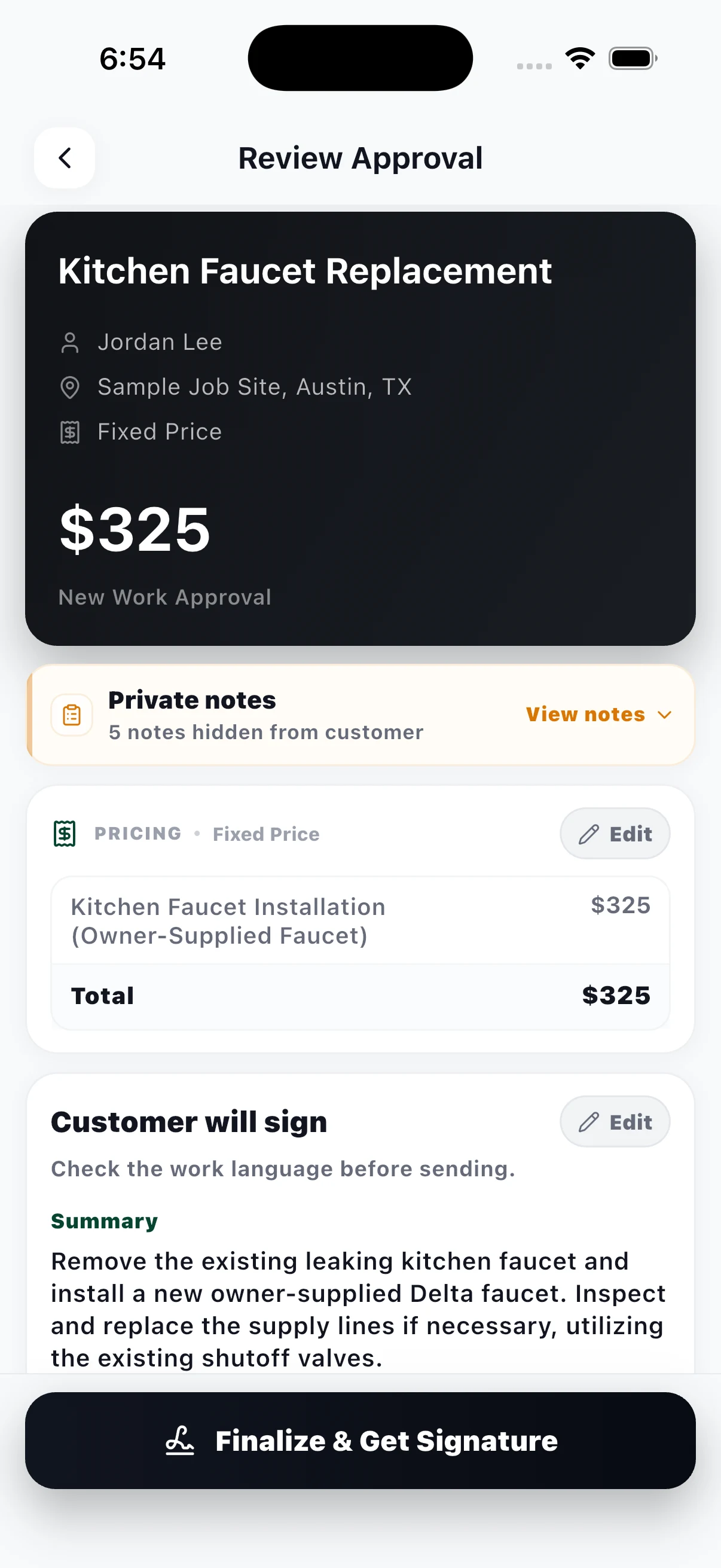
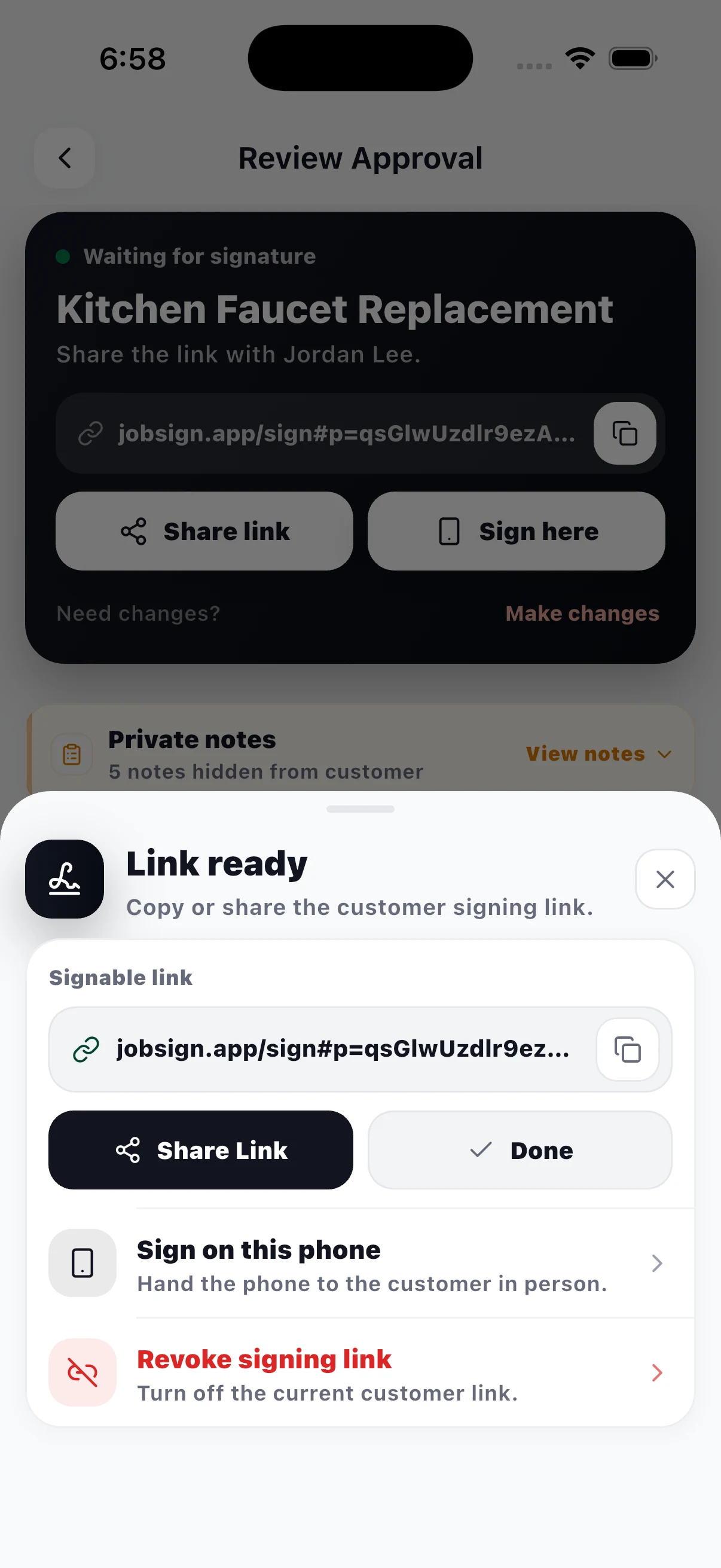
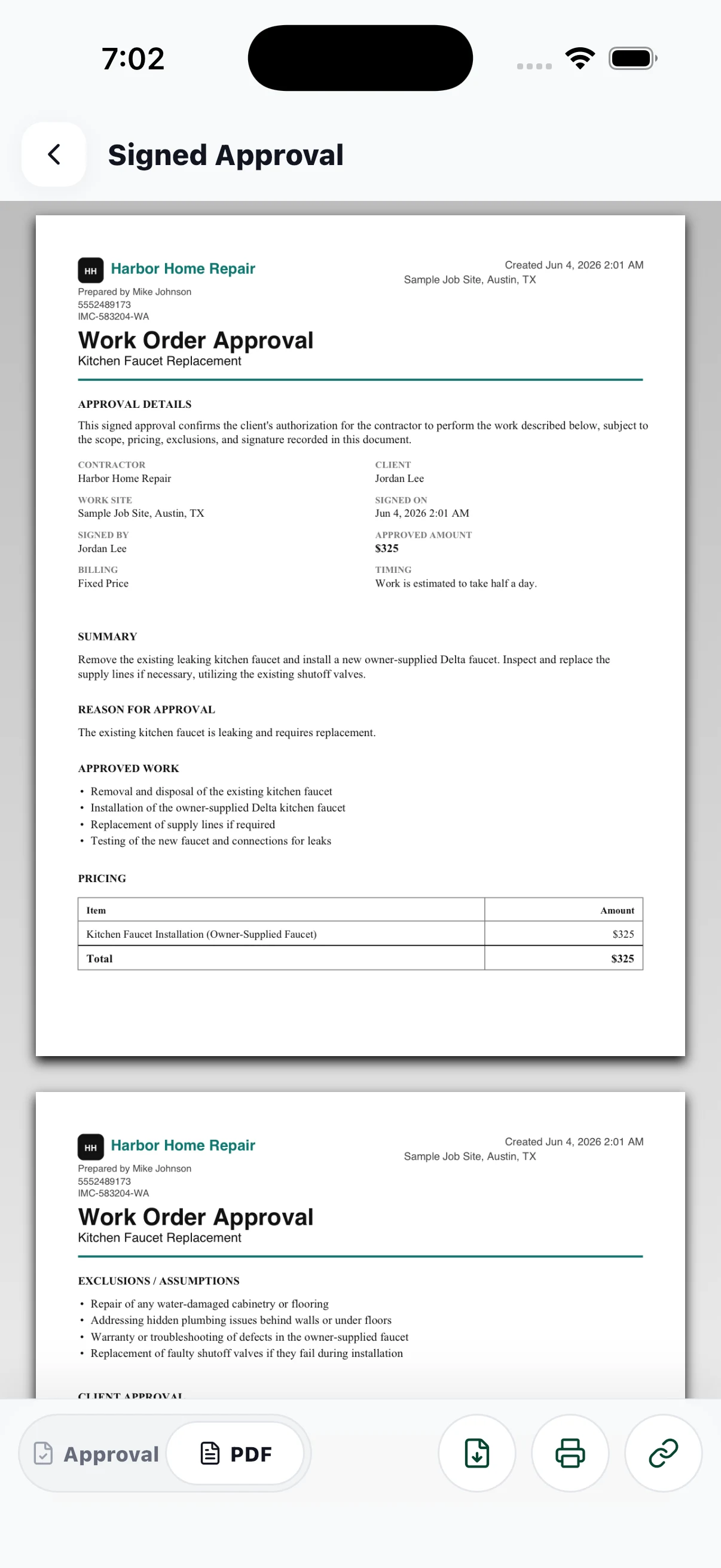
01 / Describe the job
Two ways to sign
Same document, same signed PDF — whichever way the customer wants to say yes.
The customer sees a clean, customer-facing approval screen and signs with their finger — right there, before you pick up a tool.
Text or email a secure link. It opens in any browser — no download, no account — and the signed PDF lands back in your job record.
The record
Every signed approval becomes one tidy PDF: signature, pricing, scope, exclusions, and timestamp. Clear enough for the customer, solid enough for your files.
What's in the app
A plain-language job note becomes a structured, customer-ready approval in seconds.
A painter gets paint exclusions. A plumber gets access clauses. 18+ trades, plus custom.
Fixed price, line items, time & materials, or not-to-exceed caps — shown clearly to the customer.
Secure links open a clean signing page on any device. No customer account, ever.
Company name, logo, phone, and license number on every approval and PDF.
Attach site photos to the approval so everyone signs off on the same conditions.
Approval guides
New work, extras, repairs, or estimates — use JobSign for the written sign-off before it turns into a dispute.
Document what you uncovered, price the added work, and get the decision before continuing.
All trades Contractor approval appGet customer approval in writing before work starts — without adopting a full field-service system.
Scope changes Change order approval appDocument extras, price changes, and schedule impacts before you pick up the tools.
Authorization Work authorization appTurn a plain description into a signable work authorization and a signed PDF record.
Handyman Handyman estimate approvalMake small-job approvals feel professional while keeping the flow fast on your phone.
Repairs Repair approval appConfirm repair scope, price, exclusions, and timing before the customer asks what changed.
Paper trail Customer sign-off before workReplace verbal go-aheads with a signed approval your customer can actually understand.
Pricing
Try the full workflow free on real jobs. Upgrade when JobSign is riding along on every one of them.
For trying the flow on a real job.
For contractors using approvals in the field.
Free to download on the App Store and Google Play. Pro is billed through Apple or Google — cancel anytime from your store subscription settings.
Get JobSign
Live on iPhone, iPad, and Android. Free to start — your first three approvals are on us.

Common questions
Anything else, ask us directly at support@jobsign.app.
Yes. JobSign is on the App Store for iPhone and iPad, and on Google Play for Android phones and tablets.
No. A signing link opens in the customer's browser on any device. They review the approval and sign — no download, no account, no password.
Electronic signatures are recognized under the ESIGN Act and UETA in all 50 US states, and JobSign records the signer's name, signature, and timestamp with each approval. JobSign creates practical approval records, not legal advice — for complex jobs, use attorney-drafted contracts.
Yes. Every draft is fully editable before the customer sees it — pricing, scope, exclusions, timing, and the customer-facing wording.
Trade-aware defaults cover handyman work, painting, drywall, electrical, plumbing, HVAC, roofing, flooring, tile, carpentry, concrete, landscaping, auto repair, and more — plus a custom option for any other trade.
Free to download, with 3 approvals included so you can try the full workflow on real jobs. JobSign Pro is $9.99/month for unlimited signed approvals, business branding, and history across devices.